
Website Design and Development
Add website to phone home screen
KL Web Design · 24 June 2020

Add Website to Phone Home Screen Home For Apple Users First your customers open your App on the Safari browser From the browser your customer can click on the action icon Next step your customer should search the “+” ico
Add Website to Phone Home Screen
For Apple Users
[
](/media/articles/art-28.webp)
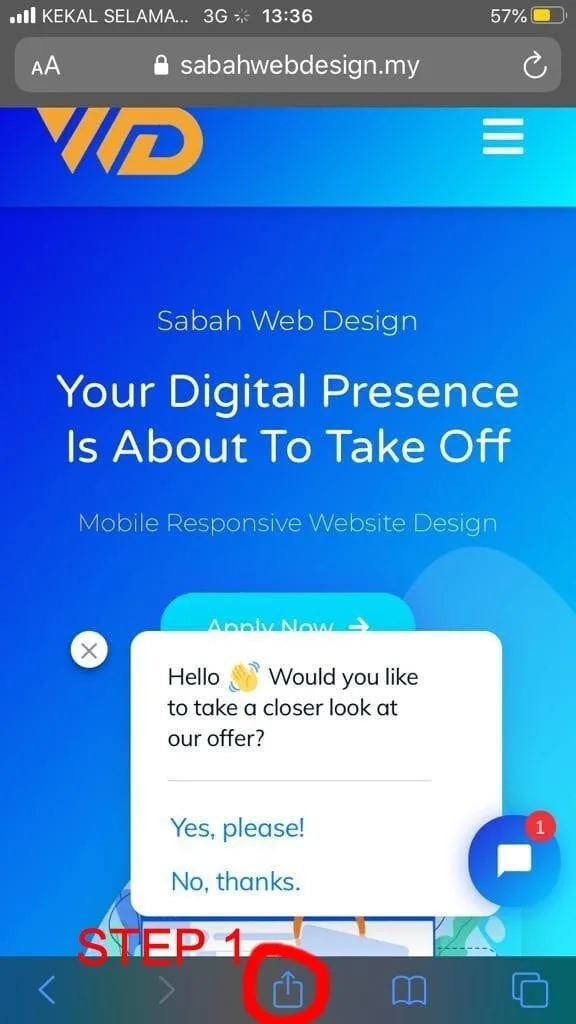
First your customers open your App on the Safari browser
From the browser your customer can click on the action icon (the red circle)
[
](/media/articles/art-e572bff88f.webp)
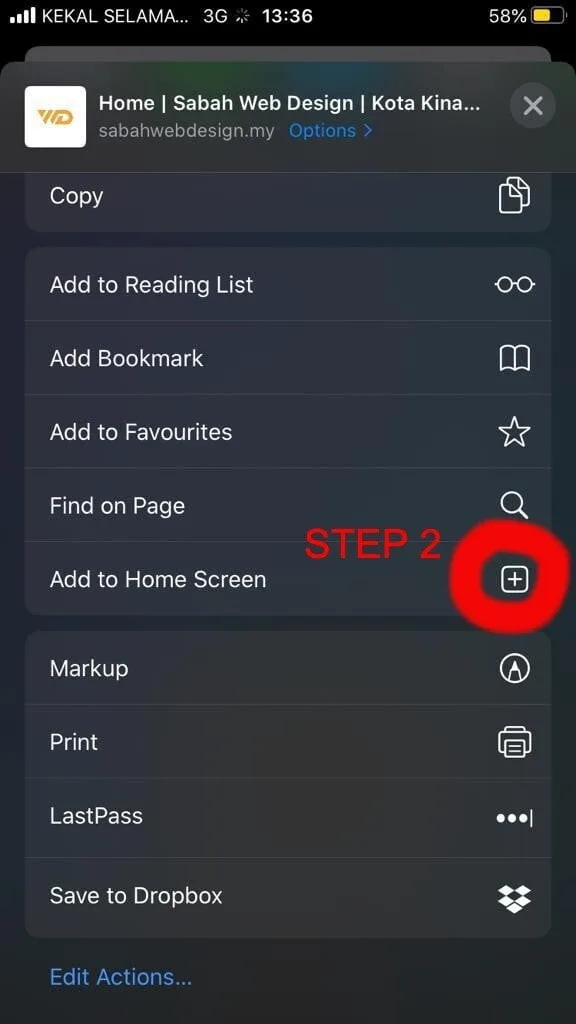
Next step your customer should search the “+” icon by scrolling left
And the App will be added to the home screen of his phone
For Android Users
[
](/media/articles/art-37.webp)
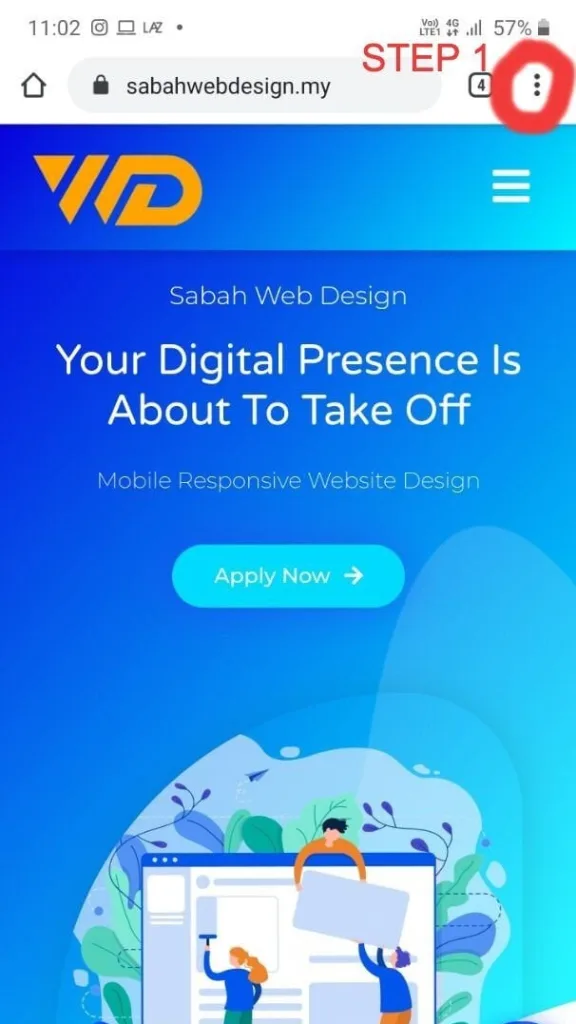
First your customers open your App on the Safari browser
From the browser your customer can click on the action icon (the red circle)
[
](/media/articles/art-38.webp)
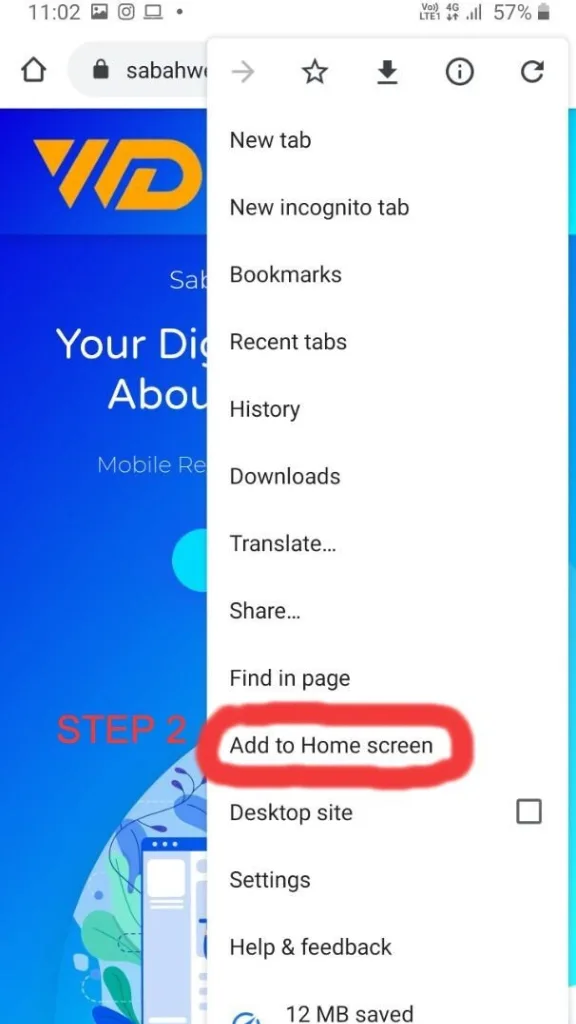
Next step is to click on “Add To Home screen” button (the red circle)
[
](/media/articles/art-39.webp)
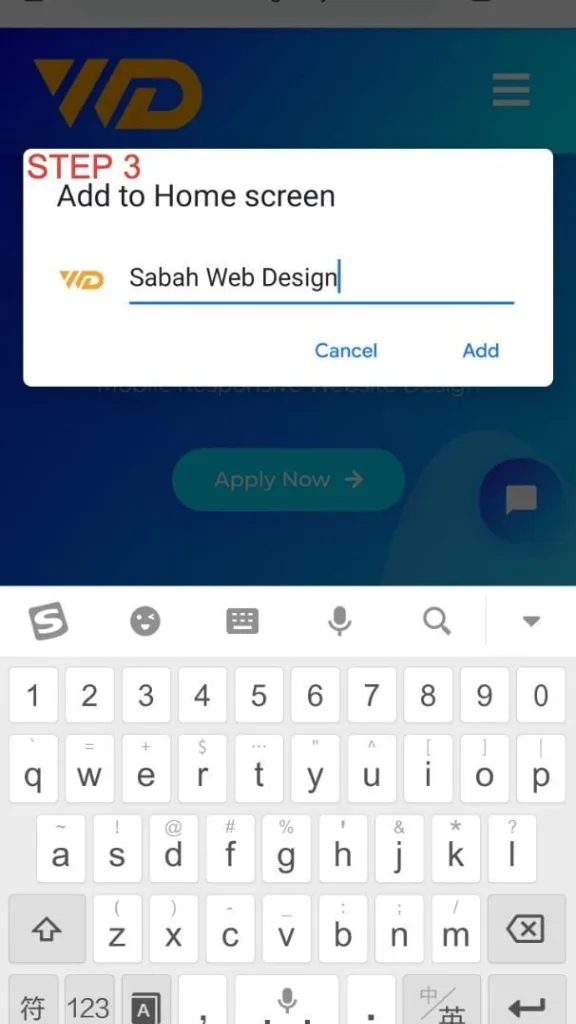
Step 3 is to Rename it and click “Add” button
4
[
](/media/articles/art-40.webp)
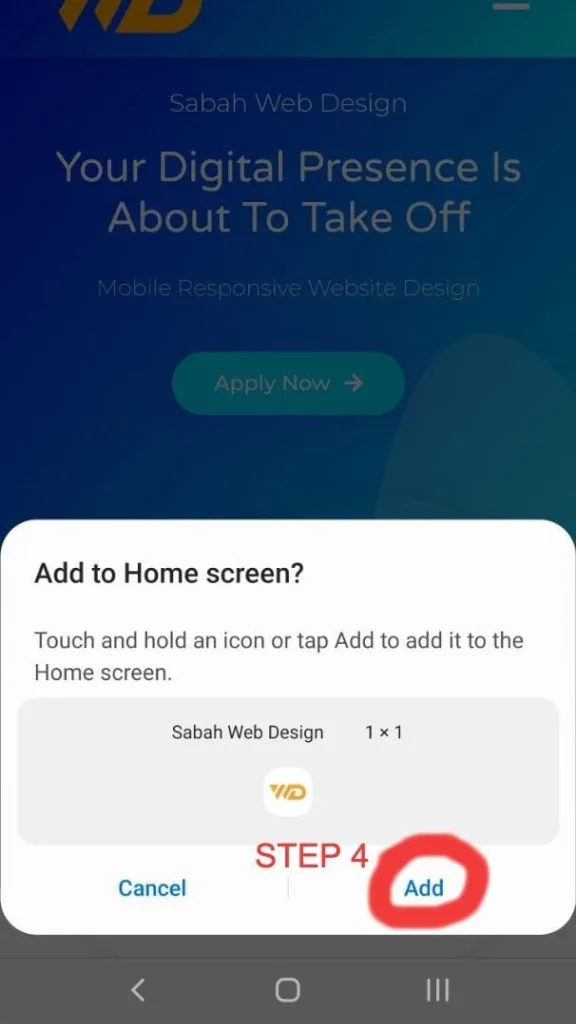
Step 4 is very easy, just click on the “Add” button